Meet Horizon UI · 14/17: Access Control & Security
This is the fourteenth post in the Meet Horizon UI series, and it opens Act 4 — govern & secure it. Everything so far was about what Horizon shows and does; this post is about who gets to see and do it. And one architectural point matters up front: all of this — RBAC, authentication, the audit log, break-glass, themes — is Horizon’s own governance, enforced in its BFF, and it does not touch the OAP admin host. So it works the same whether your backend is OAP 10.x or 11.x.
It starts at the door
Before anything renders, you sign in. Horizon has two authentication backends, chosen by config: Local — users and Argon2id password hashes declared in horizon.yaml — or LDAP / Active Directory, where Horizon binds against your directory and maps directory groups to Horizon roles (memberOf or a group search, your bind account does the lookup). The login screen shows which backend is live as a pill, and lets you pick a language before you’re even authenticated. Sign-in is deliberately enumeration-resistant: a wrong user, a wrong password, or a user in no mapped group all return the same “invalid credentials.”
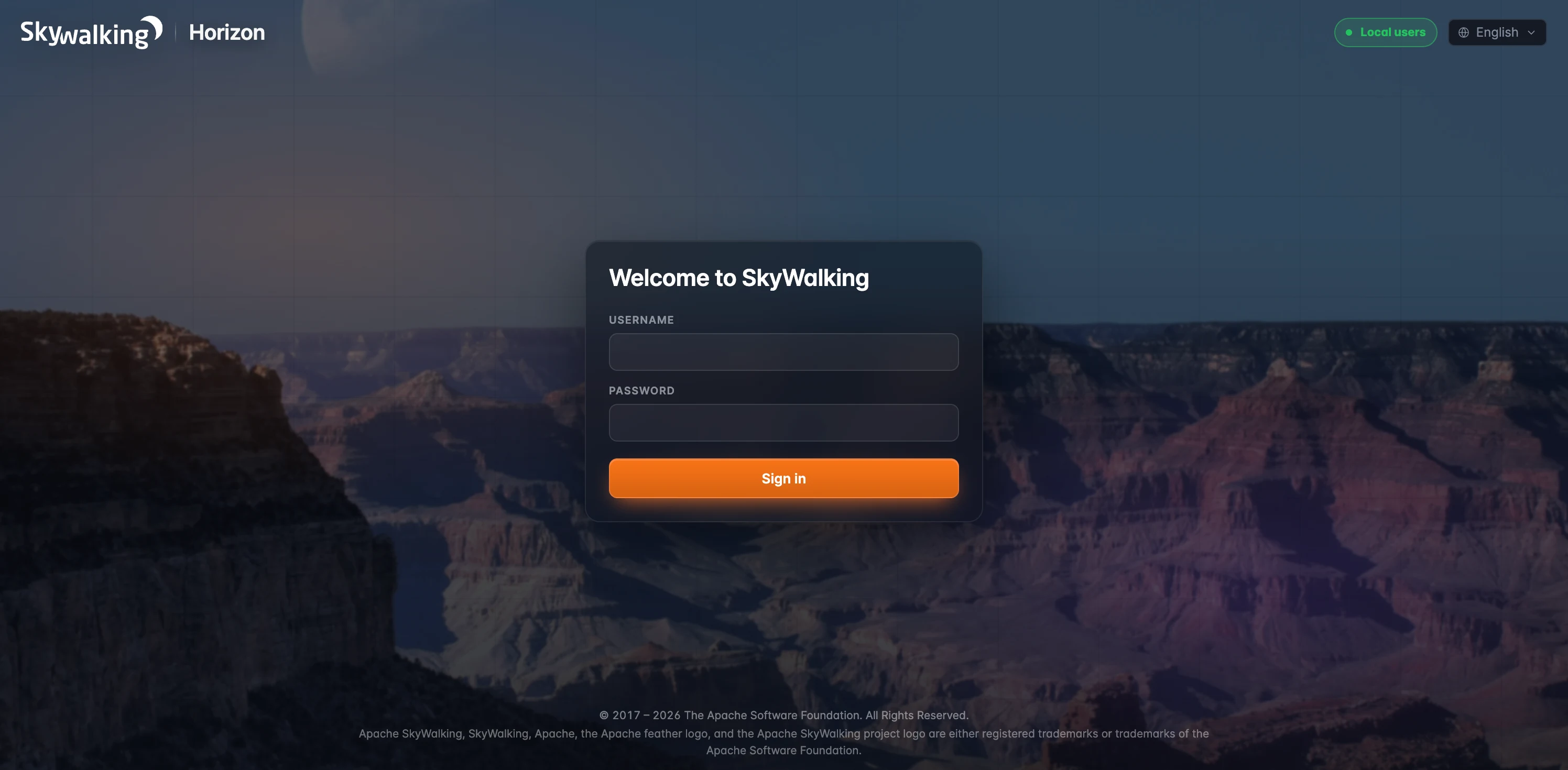 Figure 1: The login page — the auth-backend status pill (here
 Local users), a pre-auth locale selector, and the credentials form. Authentication is the first gate; everything past it is role-gated.
For admins, an Auth status page mirrors the backend’s health: the provider and hash algorithm, where users are defined, whether break-glass is armed, and how many sessions are currently active. One thing to read correctly — that active-session count is the sessions on the Horizon BFF you’re talking to, not a cluster-wide total; sessions live in each BFF node’s memory.
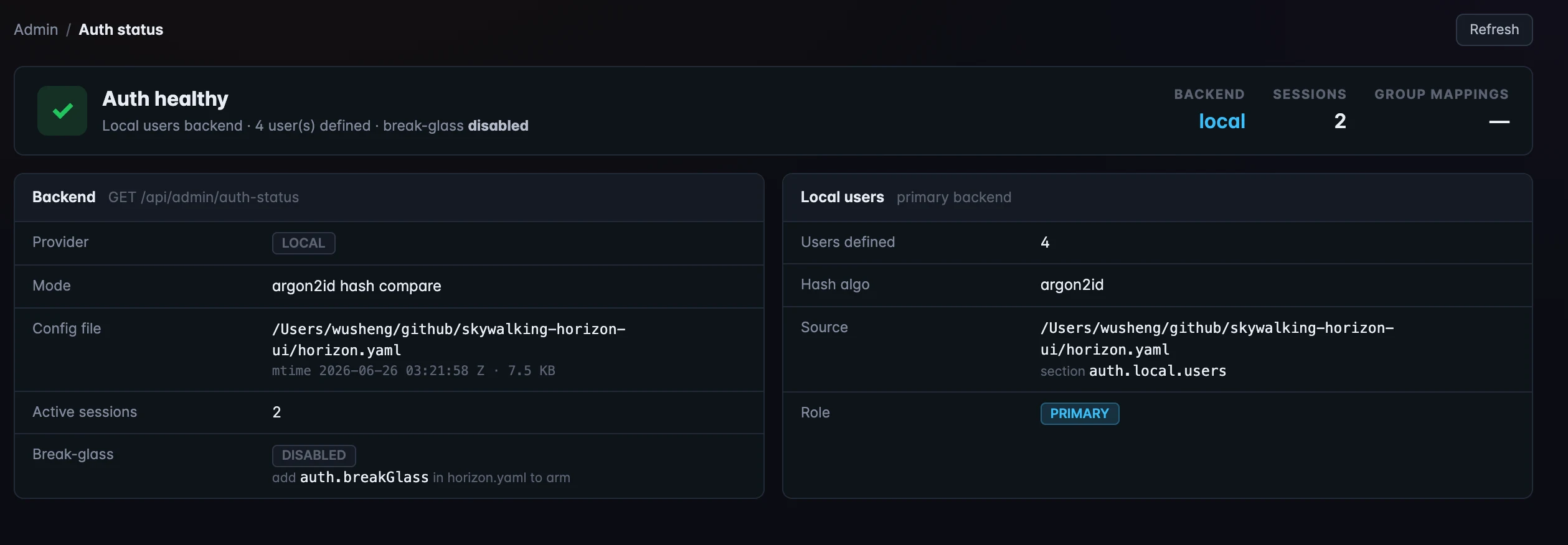 Figure 2: Auth status — the backend’s health at a glance: provider (here local, Argon2id), where users are defined, whether break-glass is armed, and the active-session count on this Horizon BFF (not a cluster-wide figure).
Who can do what
Past the door, every action is gated by a permission. Horizon ships four cumulative roles: viewer reads the observability data (dashboards, traces, logs, alarms); maintainer adds the platform-monitoring surfaces (cluster status, inspect, retention, config); operator adds dashboards, alarms, runtime rules, and the diagnostics tools; admin holds everything, including user and access management. Permissions themselves are dot-namespaced verbs — metrics:read, rule:write:structural, inspect:read — with wildcards (*, rule:*, *:read).
The Roles & Permissions board lays the whole model out: a menu-visibility matrix (which sidebar items each role sees, and the read verb that gates each) on top, then a per-area action matrix marking exactly what viewer / maintainer / operator / admin can each do, area by area. It’s read-only — roles are defined in horizon.yaml and hot-reload on save, no restart.
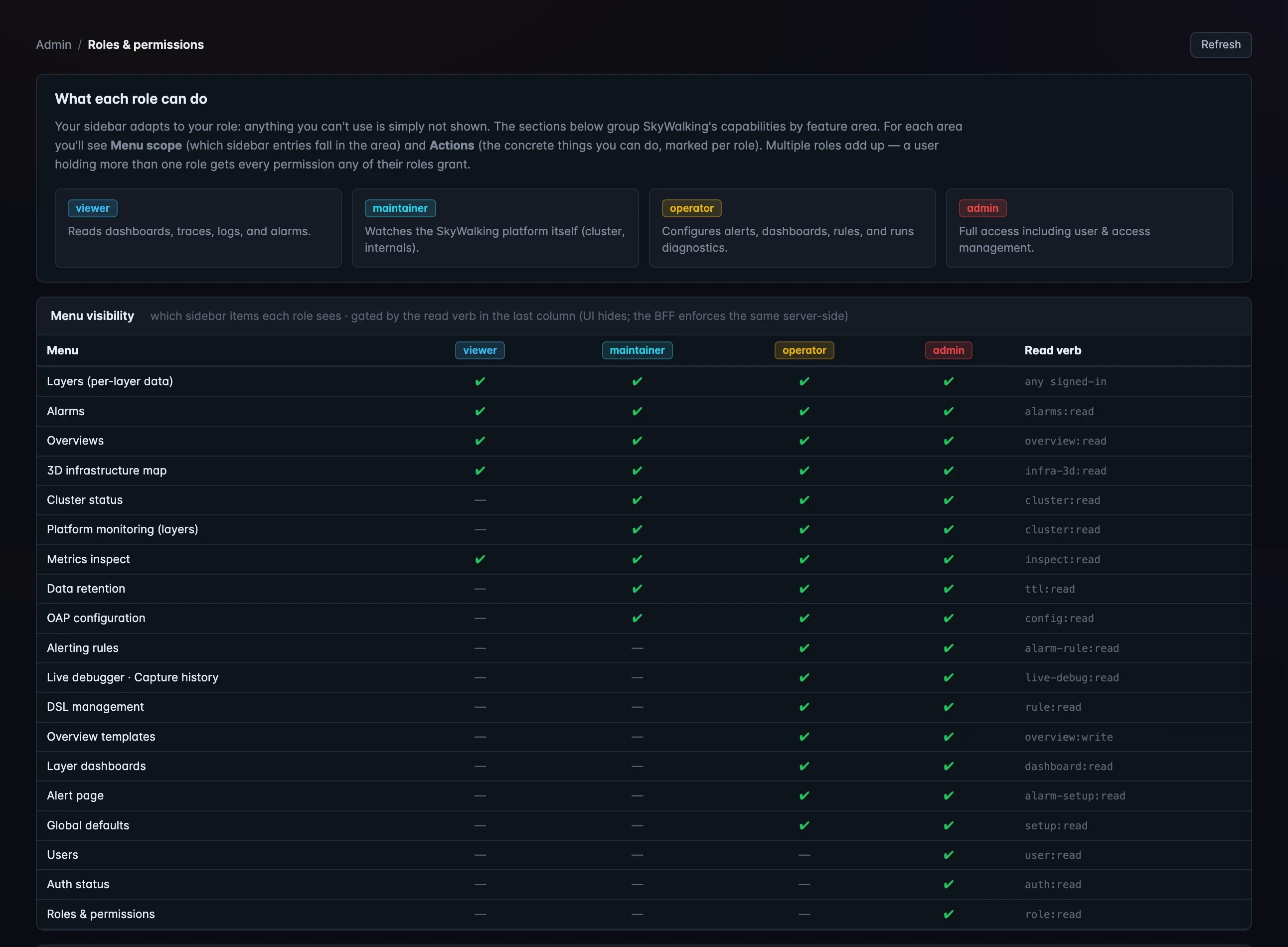 Figure 3: The top of the Roles & Permissions board — the role cards and the menu-visibility matrix (each sidebar item × role, gated by the read verb in the last column). Per-area action matrices follow below. Read-only: roles live in
 horizon.yaml and hot-reload.
The enforcement is server-side. The BFF gates every protected request — 401 if you’re not authenticated, 403 if your session lacks the verb — and the route→verb table is mandatory: a route with no entry fails the build, so nothing is ever accidentally left open. The UI mirrors the same verb logic to hide menus you can’t use, but that’s defense-in-depth, not the gate; a forged UI can’t escalate, because the BFF is the authority.
Who’s signed in
The Users page lists every account Horizon knows — local, LDAP, and break-glass — with its source, assigned roles, last sign-in, and IP. It’s read-only (local users live in horizon.yaml; you add one with the YAML plus a CLI-generated hash). As on Auth status, the last-seen and active-24h figures are tracked per BFF node, in memory, so in a multi-replica deployment they reflect that one node, not the whole cluster.
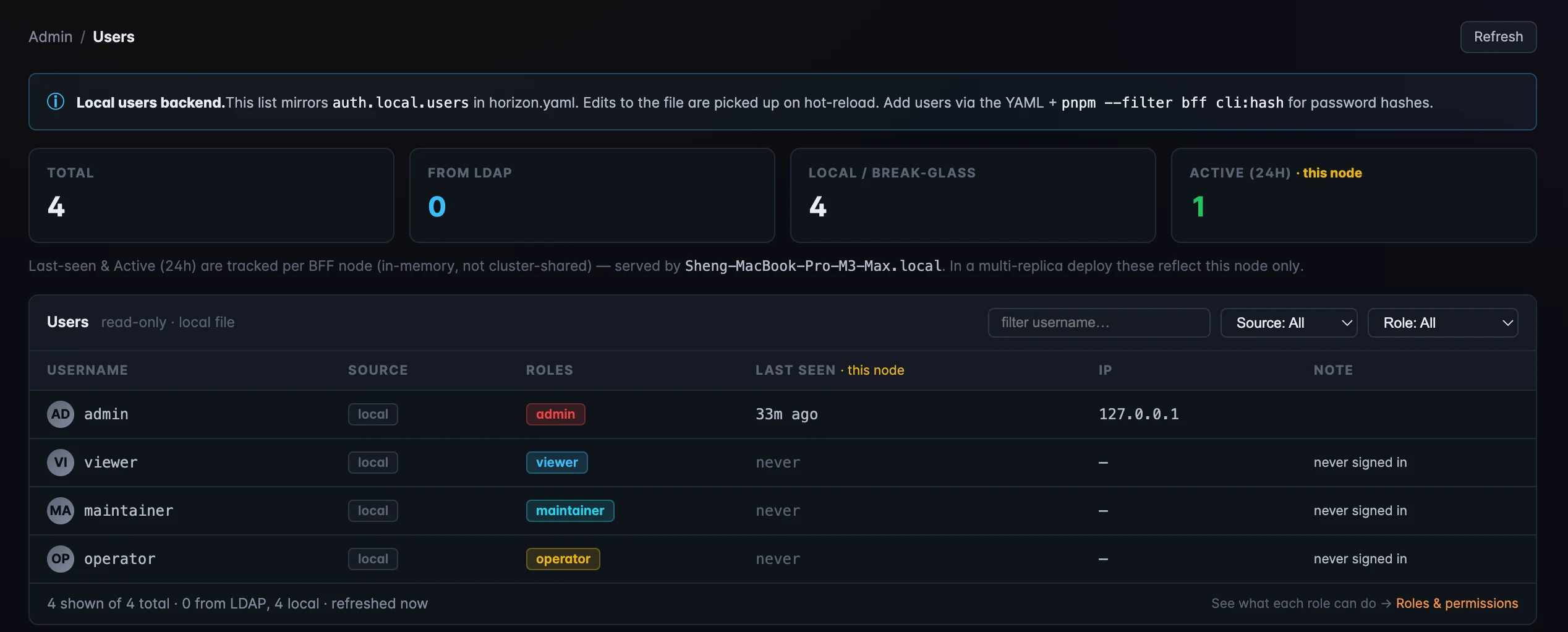 Figure 4: Users — every account with its source (local / LDAP / break-glass), roles, and last sign-in. The last-seen and active counts are per-BFF-node and in-memory, so a multi-replica deploy shows that node only.
Audit, and the break-glass hatch
Every sensitive action lands in an append-only audit log — JSON Lines on disk (horizon-audit.jsonl). It records sign-ins and failures, break-glass activations, rule edits and applies (carrying the OAP outcome), alarm- and dashboard-setup changes, and live-debugger start/stop. Reads aren’t logged — only writes and sensitive operations, to keep the volume manageable — and each line carries who acted, the action and the verb checked, when, the outcome, and the source IP. Horizon doesn’t rotate the file itself, so you pair it with a log shipper and durable storage to outlive restarts.
Break-glass is the emergency hatch: a local admin credential that works only when your backend is LDAP and the directory is currently unreachable. It lets you back in when the directory is down without being a standing backdoor — it doesn’t bypass RBAC (the session gets whatever roles you configured, which can be as little as viewer), every use is double-logged (the audit line plus a WARN), and it stops working the moment LDAP recovers.
Make it yours: themes
Finally, the lighter touch. Five themes ship with Horizon: Horizon, the default — dark, amber, dense, observability-first; Meridian, a cooler navy/indigo for SREs who live in tables; Obsidian, true-black and monospaced for OLED screens; Daybreak, a light, airy palette for shared screens and printouts; and Aurora, a magenta-to-cyan glass look made for demos. An admin sets the org default on the Global Defaults page; every user can override it per-device from the topbar theme chip, which marks with a dot when your choice differs from the org default.
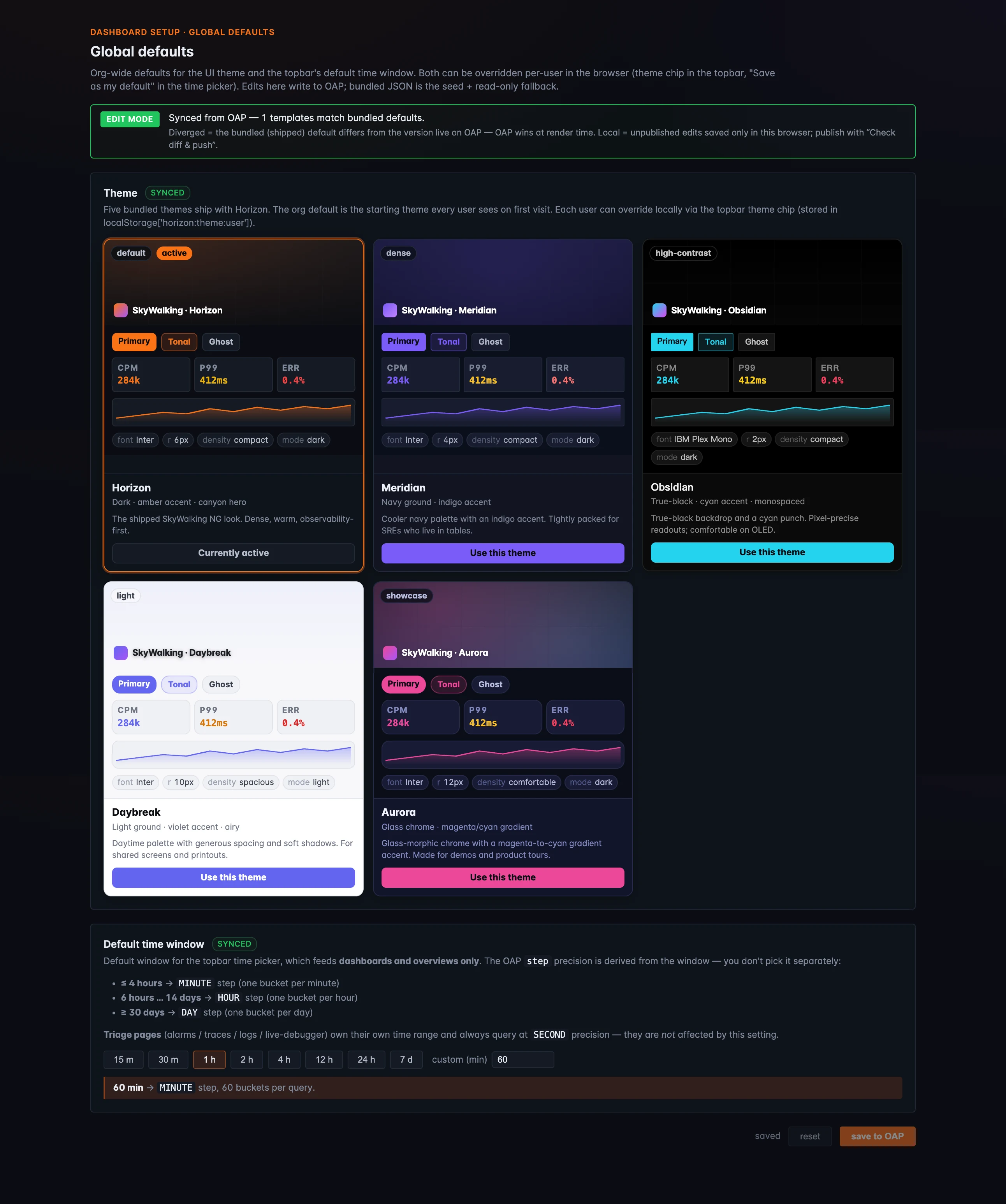 Figure 5: Five bundled themes — Horizon (default), Meridian, Obsidian, Daybreak, Aurora — each previewed with its palette, density, and font. An admin sets the org default here; every user can override it per-device from the topbar chip.
Where to go next
All five surfaces here are Horizon’s own BFF-side governance — they never touch the OAP admin host, so they behave identically across OAP versions. (RBAC can also be turned off entirely for local dev, in which case the Roles board flags it in red.) For the field reference — the verb list, the LDAP group mapping, the audit schema, and arming break-glass — see the RBAC, LDAP backend, Audit log, and Break-glass docs.
Next up, Act 5 — make it yours & adopt, starting with Customization: Config-Driven Layer Templates — how the whole console is shaped by templates you can edit, preview, and publish.